


ID: 100003099
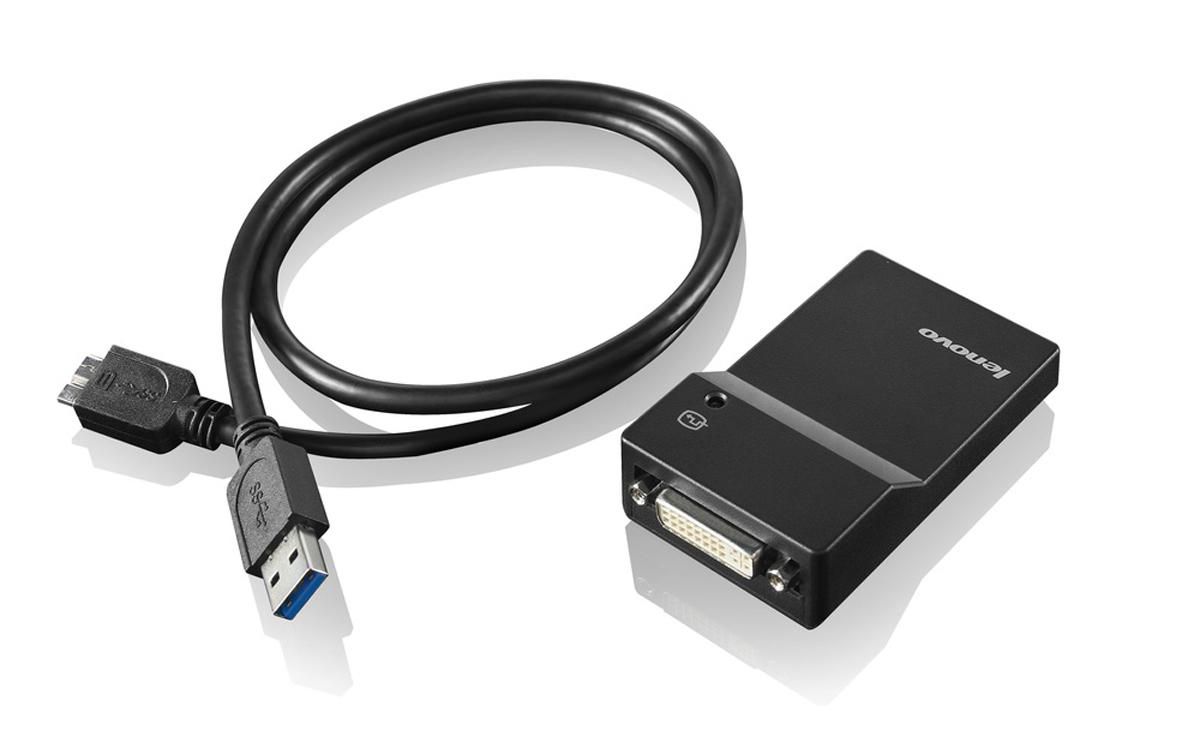
USB3.0 to DVI-I Adapter
EAN
887037486539
In stock: 1-4
Delivery: 2–4 weeks
USB is Ubiquitous. The Lenovo USB 3.0 to DVI/VGA Monitor Adapter (0B47072) provides a quick and easy way to attach an analog or digital monitor to a ThinkPad or ThinkCentre USB port, helping to increase productivity through the use of multiple monitors.
The Lenovo USB 3.0 to DVI/VGA Monitor Adapter is ideal for increasing the efficiency of everyday tasks. View and extend spreadsheets across multiple monitors, or view financial charts simultaneously. Using multiple USB 3.0 to DVI/VGA Monitor Adapters reduces overlapping of windows when multitasking is required, and increases overall user experience and productivity.
Up to six monitors can be connected using up to six USB 3.0 to DVI/VGA Monitor adapters when connected to ThinkPad systems. Adapters coexist with existing system monitor ports and installed graphics cards.
Each adapter is uniquely configured, using a setup wizard, for:
- Display mode: Span (one large desktop), mirrored (clone mode) or
- extended desktop (stretch mode)
- Screen resolution: Up to 2048x1152
- Screen orientation: 0, 90, 180, or 270 degrees
- Monitor placement: Extend monitor to right, left, above, or below
Windows Display Properties setup menu allows users to set resolution and the position location of each USB 3.0 to DVI/VGA Monitor Adapter along with the systems graphics displays.
The USB3.0 to DVI Monitor Adapter is lightweight and is easy to carry. A projector can quickly be attached to the ThinkPad USB port.
The USB 3.0 to DVI/VGA Monitor Adapter does not disable a system's graphics capabilities. For ThinkPad users, the ThinkPad display is active, a second monitor can be attached to the ThinkPad monitor port. Additional monitors can be easily connected using one or more USB 3.0 to DVI/VGA Monitor Adapters.
The Lenovo USB 3.0 to DVI/VGA Monitor Adapter is ideal for increasing the efficiency of everyday tasks. View and extend spreadsheets across multiple monitors, or view financial charts simultaneously. Using multiple USB 3.0 to DVI/VGA Monitor Adapters reduces overlapping of windows when multitasking is required, and increases overall user experience and productivity.
Up to six monitors can be connected using up to six USB 3.0 to DVI/VGA Monitor adapters when connected to ThinkPad systems. Adapters coexist with existing system monitor ports and installed graphics cards.
Each adapter is uniquely configured, using a setup wizard, for:
- Display mode: Span (one large desktop), mirrored (clone mode) or
- extended desktop (stretch mode)
- Screen resolution: Up to 2048x1152
- Screen orientation: 0, 90, 180, or 270 degrees
- Monitor placement: Extend monitor to right, left, above, or below
Windows Display Properties setup menu allows users to set resolution and the position location of each USB 3.0 to DVI/VGA Monitor Adapter along with the systems graphics displays.
The USB3.0 to DVI Monitor Adapter is lightweight and is easy to carry. A projector can quickly be attached to the ThinkPad USB port.
The USB 3.0 to DVI/VGA Monitor Adapter does not disable a system's graphics capabilities. For ThinkPad users, the ThinkPad display is active, a second monitor can be attached to the ThinkPad monitor port. Additional monitors can be easily connected using one or more USB 3.0 to DVI/VGA Monitor Adapters.
Recommended products

Lenovo / MPN: FRU00HM667
00HM663 power
Price on request

Lenovo / MPN: 5B11B36308
Lenovo CP/B L20C3PG0 11.52V47Wh3cell
Price on request
Lenovo / MPN: 5M11H61342
Lenovo LCD Module 11.6" HDMT AS w Glass Mutto+BOE
Price on request

Lenovo / MPN: 5M10W64488
Lenovo LCD 11.6" HD MultiTouch Glare IPS 250
Price on request

Lenovo / MPN: 5D11U36897
13.3-inch FHD IPS LCD panel
Price on request

Lenovo / MPN: 01YT245
Lenovo Raven-3 Touch, LCD, Bezel ASM for 14.0"FHD 270nit IPS
Price on request
You also viewed
Go to catalog →

Compulocks / MPN: 159B13PAPX4B
iPad Pro M4 13" (2024), Apex
Price on request

Inter-Tech / MPN: 88882110
Hipower Sp-550 Power Supply
Price on request

MediaRange / MPN: MRHPTCF531A
Toner Cartridge 1 Pc(S)
Price on request

APC / MPN: SRT5KRMXLI-6W
SMART-UPS SRT 5KVA 230V RM
Price on request

Ventev / MPN: VEN-08TAP-196-NF
8dB Tapper, 132-960MHz,
Price on request

Vivolink / MPN: PROHDMIHD5
Pro HDMI Cable 5m Ultra
Price on request