


ID: 100036990
Usb 3.0 Charging Hub 10 Port
EAN
8595611702945
Unfortunately, the product is out of stock.
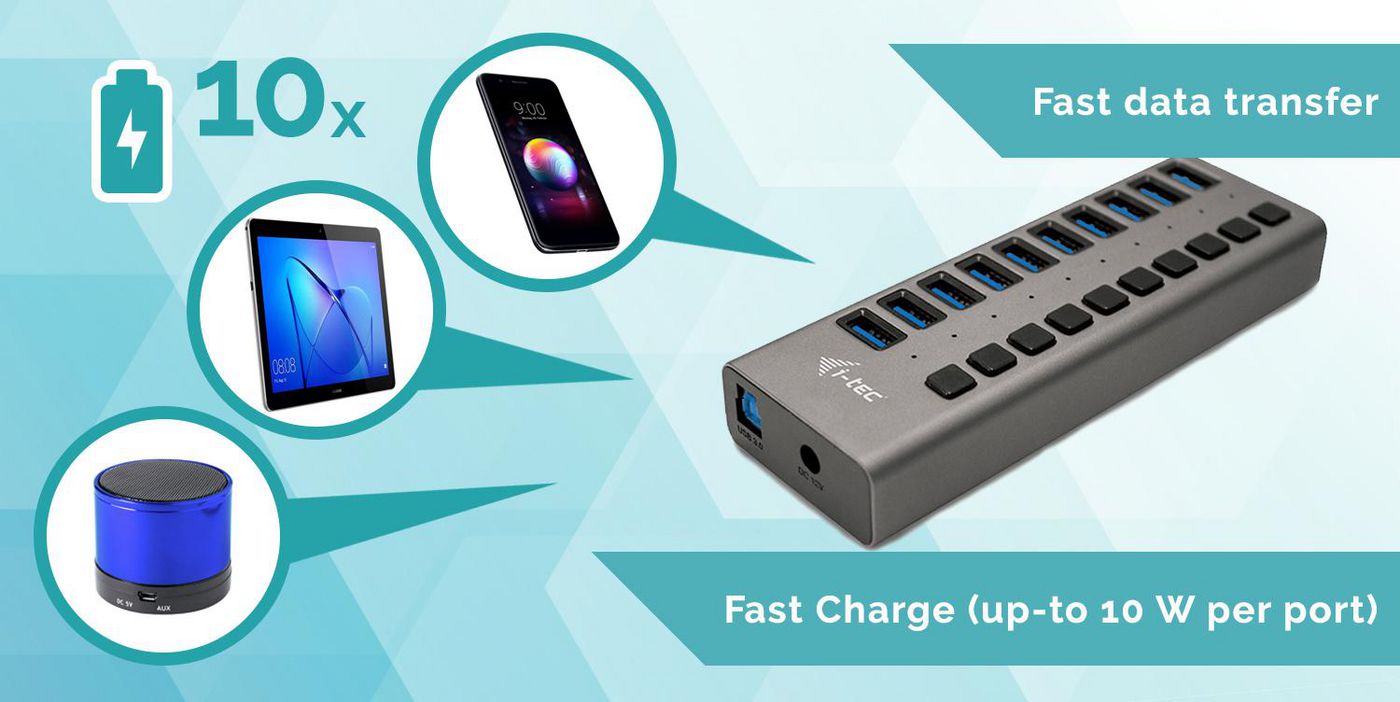
This HUB offers ten USB 3.0 ports with the Plug & Play function and with standard USB charging – the HUB automatically detects whether a device for USB charging is connected. As this HUB is equipped with ten USB 3.0 ports, it can charge up to ten devices at a time. The USB 3.0 interface is especially important for data transfers from USB 3.0 memory cards and flash drives, where its high transfer rate is most useful. An external power adapter is included in the package to guarantee stable HUB performance and charging from the USB ports, providing up to 10 W of charging power for each port.
This HUB does not require the installation of drivers. You will just connect it by the USB cable to your computer and immediately you can start using it. This HUB has a built-in overcurrent protection of your computer in case of short connection on the peripheries. The interface is compatible with USB 2.0 / 1.1.
The HUB is installed automatically from the system and does not require any drivers. Connect the AC adapter connector to the HUB and the AC adapter to a 230 V outlet. Then connect the HUB via the USB cable to a free USB port (USB 3.0, 2.0 or 1.1 standard) on your laptop/PC and follow the instructions on the screen. The HUB will be installed and displayed in the Device Manager as “General USB Hub” and “General USB SuperSpeed Hub”.
Long product description: i-tec USB 3.0 Charging HUB 10 Port with power adapter 48 W, 10x USB 3.0 charging port, ideal for laptop ultrabook tablet PC, Windows Mac Linux
This HUB does not require the installation of drivers. You will just connect it by the USB cable to your computer and immediately you can start using it. This HUB has a built-in overcurrent protection of your computer in case of short connection on the peripheries. The interface is compatible with USB 2.0 / 1.1.
The HUB is installed automatically from the system and does not require any drivers. Connect the AC adapter connector to the HUB and the AC adapter to a 230 V outlet. Then connect the HUB via the USB cable to a free USB port (USB 3.0, 2.0 or 1.1 standard) on your laptop/PC and follow the instructions on the screen. The HUB will be installed and displayed in the Device Manager as “General USB Hub” and “General USB SuperSpeed Hub”.
Long product description: i-tec USB 3.0 Charging HUB 10 Port with power adapter 48 W, 10x USB 3.0 charging port, ideal for laptop ultrabook tablet PC, Windows Mac Linux
Recommended products

i-tec / MPN: TB5QUATTRODOCKPD
Thunderbolt5 Quattro Display
Price on request

i-tec / MPN: CADUA4KDOCKPDL2
Usb 3.0 / Usb-C / Thunderbolt
Price on request

i-tec / MPN: CADUAL4KDOCKPD2
Usb 3.0 / Usb-C / Thunderbolt
Price on request

i-tec / MPN: C31DUALDPDOCKPD100W
Usb-C Dual Display Docking
Price on request

i-tec / MPN: C31KVMDOCKPDPRO
Usb-C Kvm Dock Pro For Three
Price on request

i-tec / MPN: C31HUB404
USB-C SLIM PASSIVE HUB 4
Price on request
You also viewed
Go to catalog →

Acer / MPN: 42.W9401.003
COVER.PCMCIA.DUMMY.CARD
Price on request

Asus / MPN: 90YV0KQ0-M0NA00
Geforce Rtx 3050 Lp Brk Oc
Price on request

Dell / MPN: MY093
Latitude 3120 motherboard
Price on request

Fujitsu / MPN: CA05950-2112-RFB
Power 10/12x 3.5-inch HHD /
Price on request

Zebra / MPN: CBL-HS2100-12S1-01
12 pins 43", 1.1m
Price on request

Zebra / MPN: Z1RE-MC40XX-1C00
1 YEAR ZEBRAONECARE ESSENTIAL
Price on request