


ID: 100005895
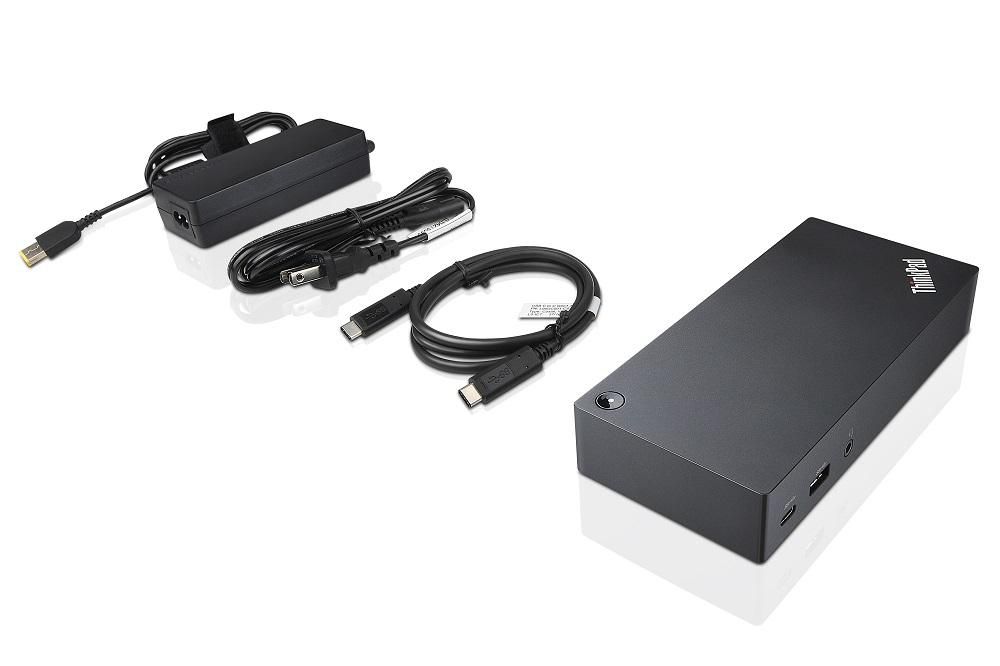
ThinkPad USB C-Dock
EAN
5713552008244
This product is refurbished
In stock: 1-4
Delivery: 2–4 weeks
The ThinkPad USB-C Dock is a new universal docking solution ensuring a productive workstation. Experience all your productivity needs including video, data, and wired network all while delivering continuous power to your laptop via a robust USB Type-C port. Simply connect your laptop or tablet with the dock and boost your productivity in no time. Single UHD display30Hz or dual FHD displays allow you to enjoy a vivid video experience.Always Connected via USB Type-C
A Power Hub for Your Desk
Experience up to 60W of stable, reliable, and continuous power for your laptop or tablet ensuring your station is always ready for peak productivity. Apart from charging your notebook or tablet and mobile device charging with 15W and 10.5W from the USB-C port and USB 3.0 always power on port respectively.
An Unprecedented View
Enjoy a vivid video experience with an Ultra High Definition (UHD – 4K) display or take multi-tasking to a new level two FHD (1080p) displays.
An Enterprise Flagship
Supports network manageability for your ThinkPad system such as PXE boot, system Wake-On LAN from Sleep mode, Hibernate mode, or Power-off mode, and Pass through ThinkPad notebook MAC address to the dock.
Complete Control of Your Device
Once your ThinkPad device is connected to the dock, the power button on the dock mirrors the system power button – simply press it to power your system ON or OFF.
A Power Hub for Your Desk
Experience up to 60W of stable, reliable, and continuous power for your laptop or tablet ensuring your station is always ready for peak productivity. Apart from charging your notebook or tablet and mobile device charging with 15W and 10.5W from the USB-C port and USB 3.0 always power on port respectively.
An Unprecedented View
Enjoy a vivid video experience with an Ultra High Definition (UHD – 4K) display or take multi-tasking to a new level two FHD (1080p) displays.
An Enterprise Flagship
Supports network manageability for your ThinkPad system such as PXE boot, system Wake-On LAN from Sleep mode, Hibernate mode, or Power-off mode, and Pass through ThinkPad notebook MAC address to the dock.
Complete Control of Your Device
Once your ThinkPad device is connected to the dock, the power button on the dock mirrors the system power button – simply press it to power your system ON or OFF.
Recommended products

Lenovo / MPN: 5B10X02594
Lenovo Battery 3Cell 45Wh 11.1V
Price on request

Lenovo / MPN: 5M11P47014
Lenovo LCD Module 12.3 FHD(INX+Libao) noNFC ASM
Price on request
Lenovo / MPN: 5M11U28571
12.3-inch Full HD display
Price on request

Lenovo / MPN: 02HL707
Lenovo LCD 13.3" FHD IPS LCLW AG 300nit
Price on request

Lenovo / MPN: 5D11U28641
13.3-inch FHD LCD touch
Price on request

Lenovo / MPN: 5D10R65302
Lenovo LCD 14.0" FHD IPS AG 3.0t
Price on request